Overview
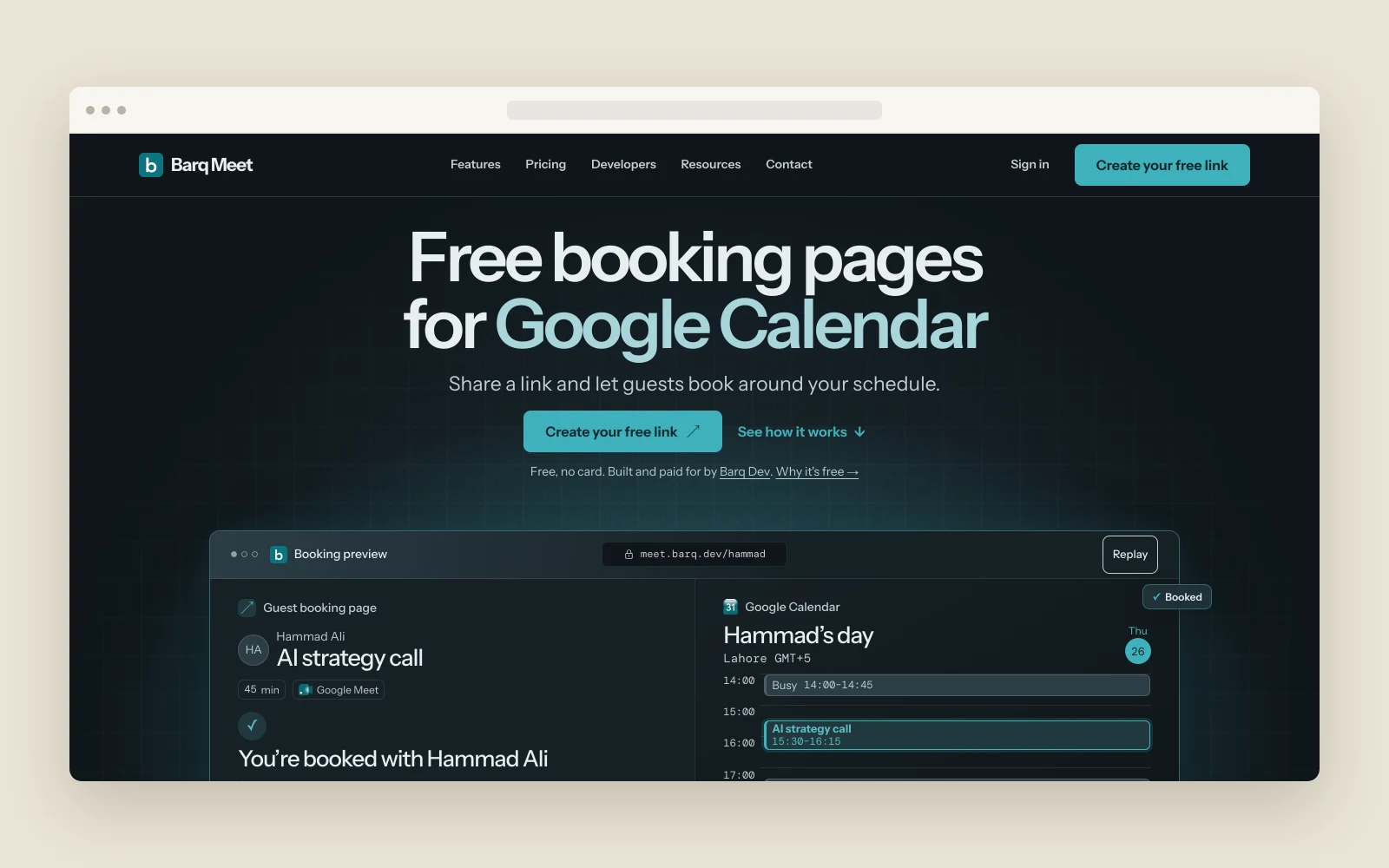
Barq Meet is a free scheduling tool for people who use Google Calendar. A host shares a booking link, the guest picks an available time, and the meeting goes onto the calendar with a Google Meet link.
Barq owns and funds the product. The team built the web app end to end, including the host’s event editor, the guest’s booking page, the Google Calendar integration and the emails both parties receive after booking.
The problem
Setting a time over email leaves the host and guest comparing schedules and converting times themselves. Hosts needed to show guests when they could meet while keeping the rest of their calendar private. They also needed control over how long a meeting would last and which hours they were willing to offer. For guests, choosing a slot was only part of the job. They needed to see it in their own time zone, know the booking had gone through, and have one place to find the meeting link or change the time later.
The challenge
Share availability without exposing events
The public booking page needed to show open slots within the host’s working hours. Calendar entries outside the booking had to stay private.
Keep the selected slot current
A host’s calendar can change between when a guest opens the link and when they confirm. The booking flow needed a fresh availability check at confirmation.
Keep both sides on the same time
The guest sees the slot in their local time while the host sees the resulting event in Google Calendar. The two views and the follow-up emails needed to refer to the same meeting.
How we approached it
Give hosts a starting event
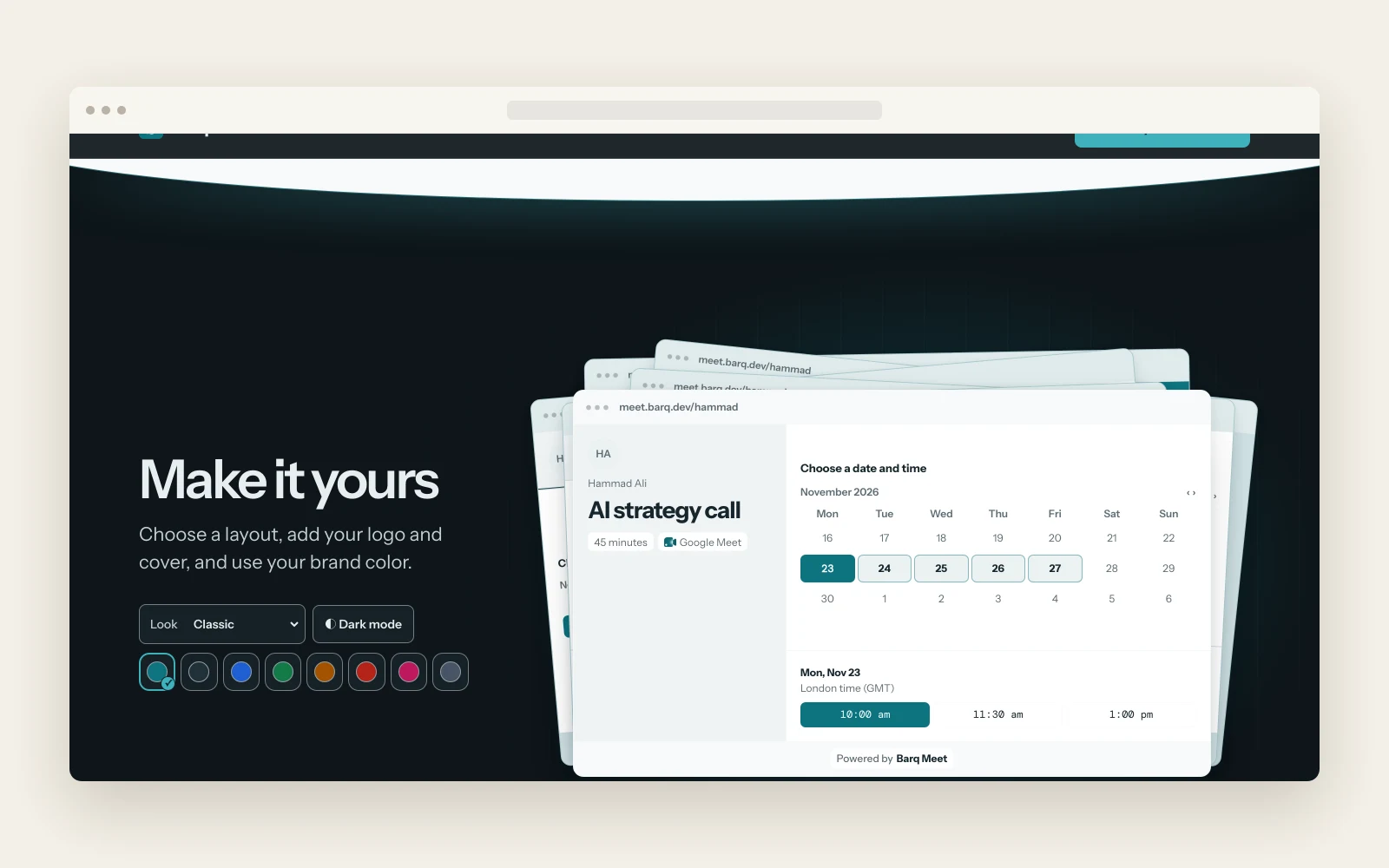
Barq built Google sign-in and an event editor. The walkthrough starts with a 30-minute event and shows how a host can set the length, working hours and page layout before sharing the link.
Build the guest flow around a single link
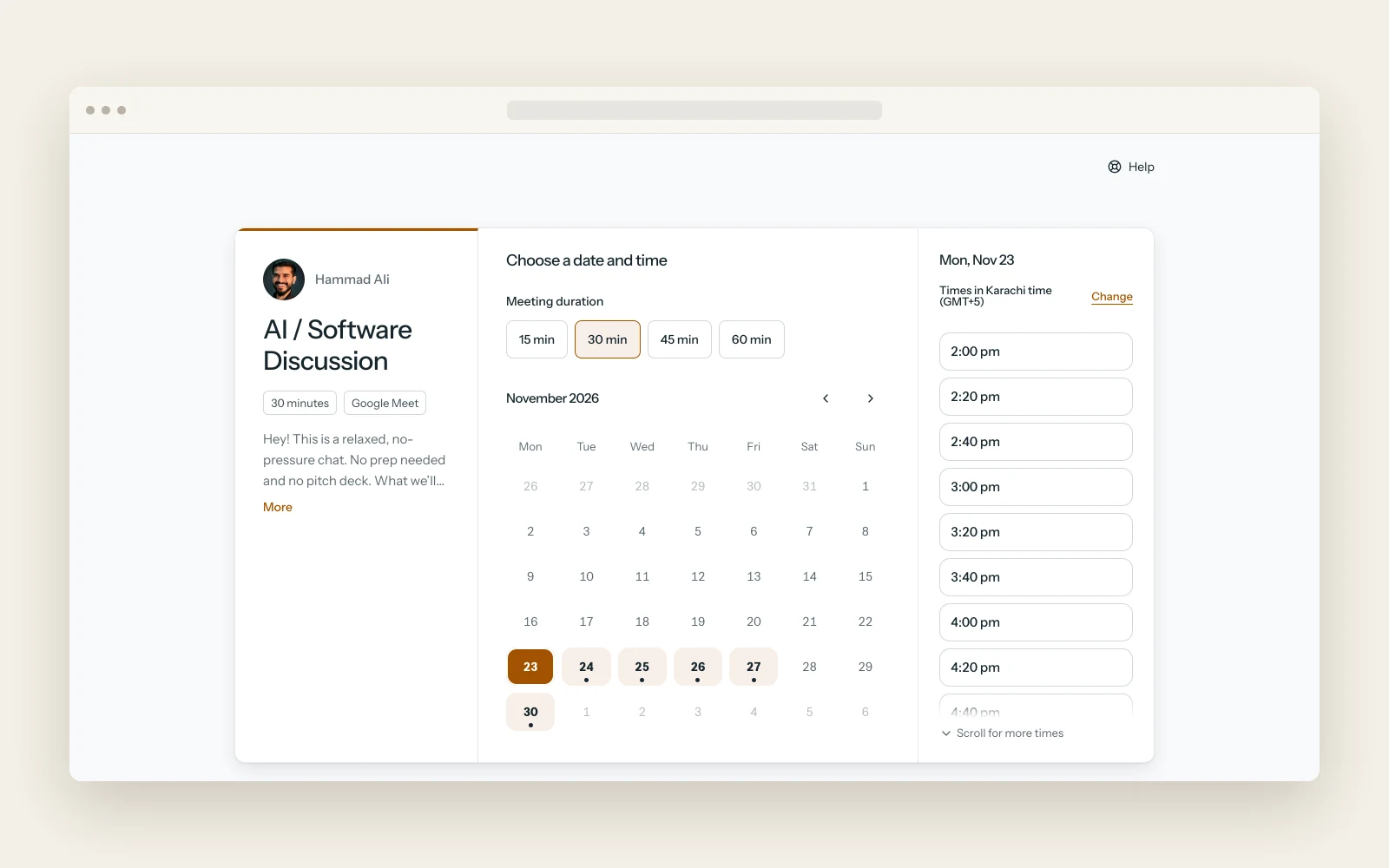
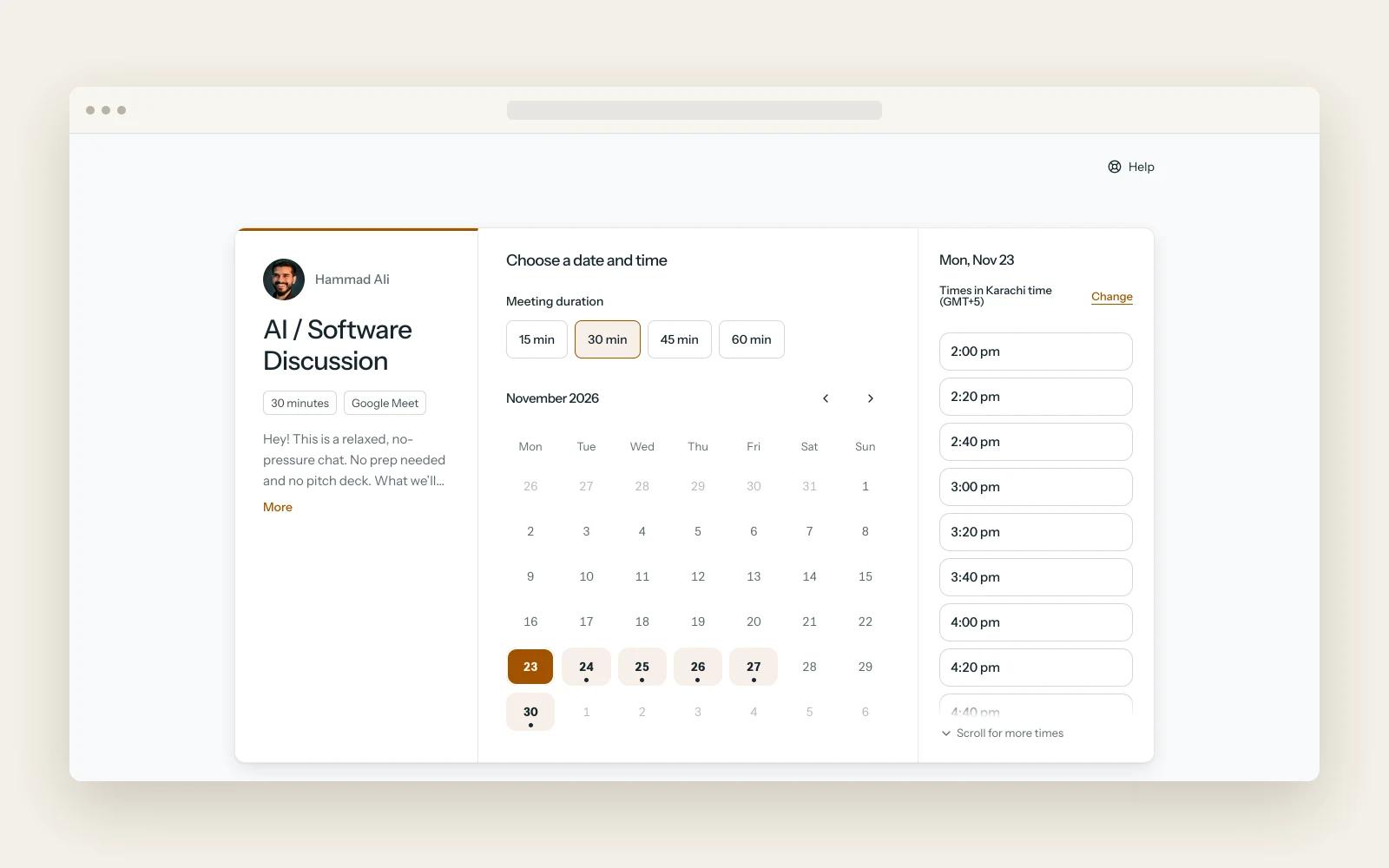
Barq built a booking page that lets guests select a slot in their own time zone. When the guest confirms, the product checks the host’s availability again and creates the event with its own Meet link.
Carry the booking through to follow-up
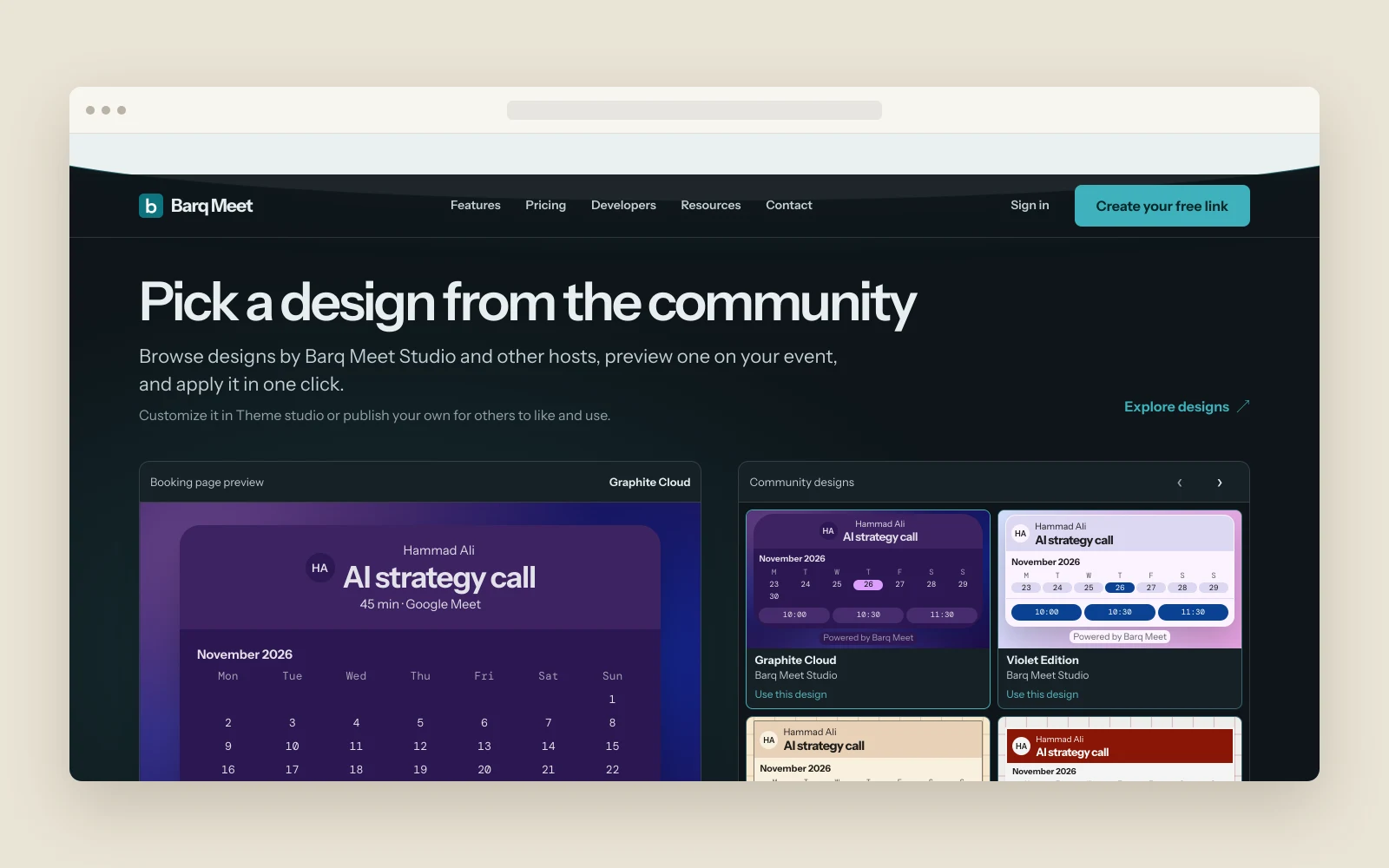
The build includes confirmation and reminder emails for both parties, with a calendar invite and a rescheduling link. Barq also added a theme editor and a community gallery for hosts who want to customize their pages.
What we built
Event setup
Hosts sign in with Google, then set a name, duration and working hours for an event. The product walkthrough shows the host what the booking page will look like before sharing it.
Shareable booking pages
Each event has a link a host can copy and send to a guest. The guest sees available dates and times in their own time zone.
Availability check and calendar entry
Barq Meet rechecks the slot at confirmation, then creates the Google Calendar event and adds a unique Google Meet link.
Confirmation and reminders
The host and guest receive confirmations with a calendar attachment. Follow-up emails include a way to reschedule.
Booking-page themes
Hosts can preview a community design on their own event and apply it. The theme editor supports further customization and lets hosts publish their own designs.
Results
- Barq released a free booking tool for people who use Google Calendar.
- Hosts can share a booking page while keeping the contents of their calendar private.
- Confirmed bookings create a calendar event with a Meet link and trigger follow-up emails for both people.
Under the hood
The booking flow connects Google Calendar and Google Meet. In the product walkthrough, the guest selects 10:30 in London, and the resulting event appears at 15:30 on the host’s calendar in Lahore.
Tech stack
- Google Calendar
- Google Meet