Overview
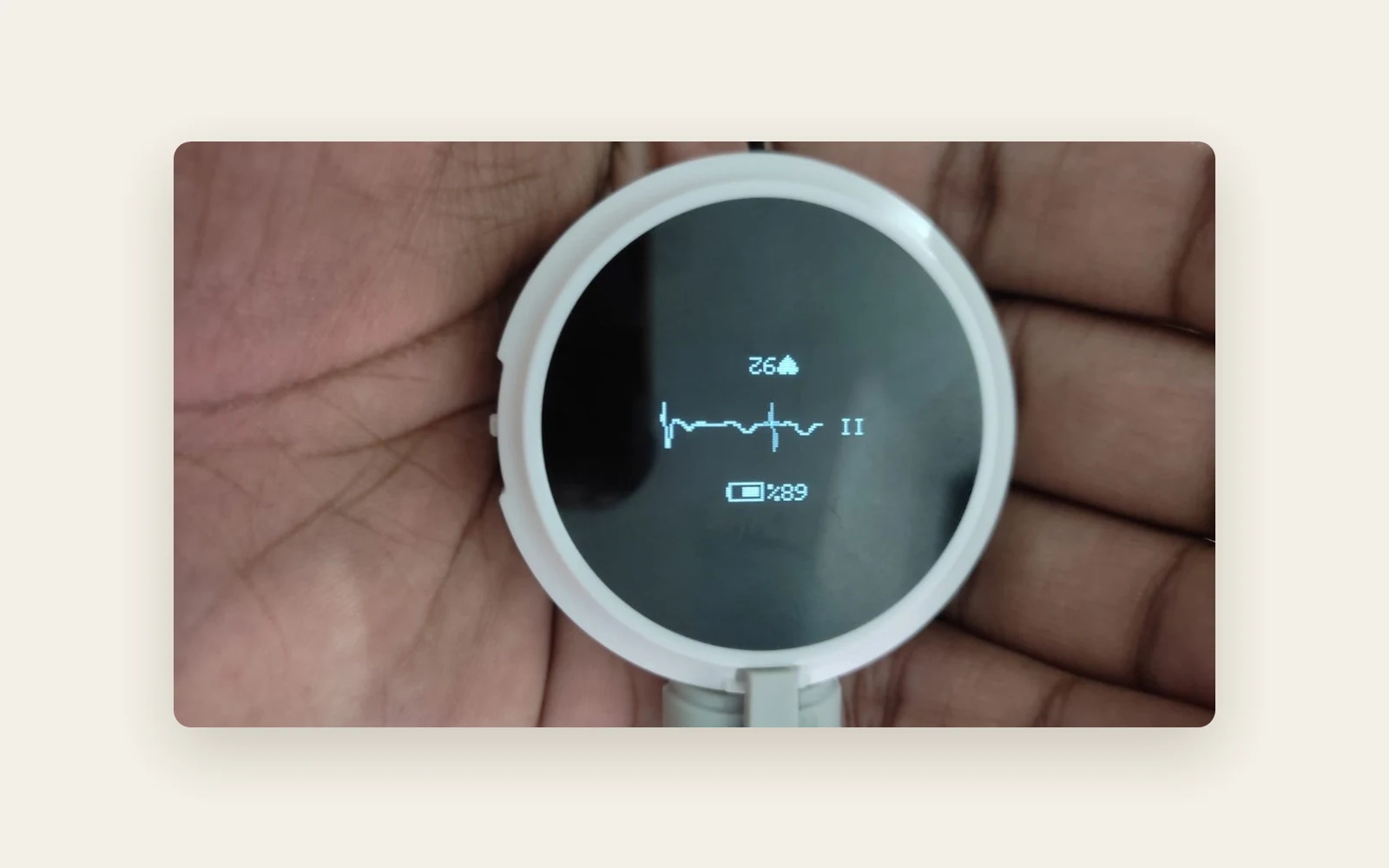
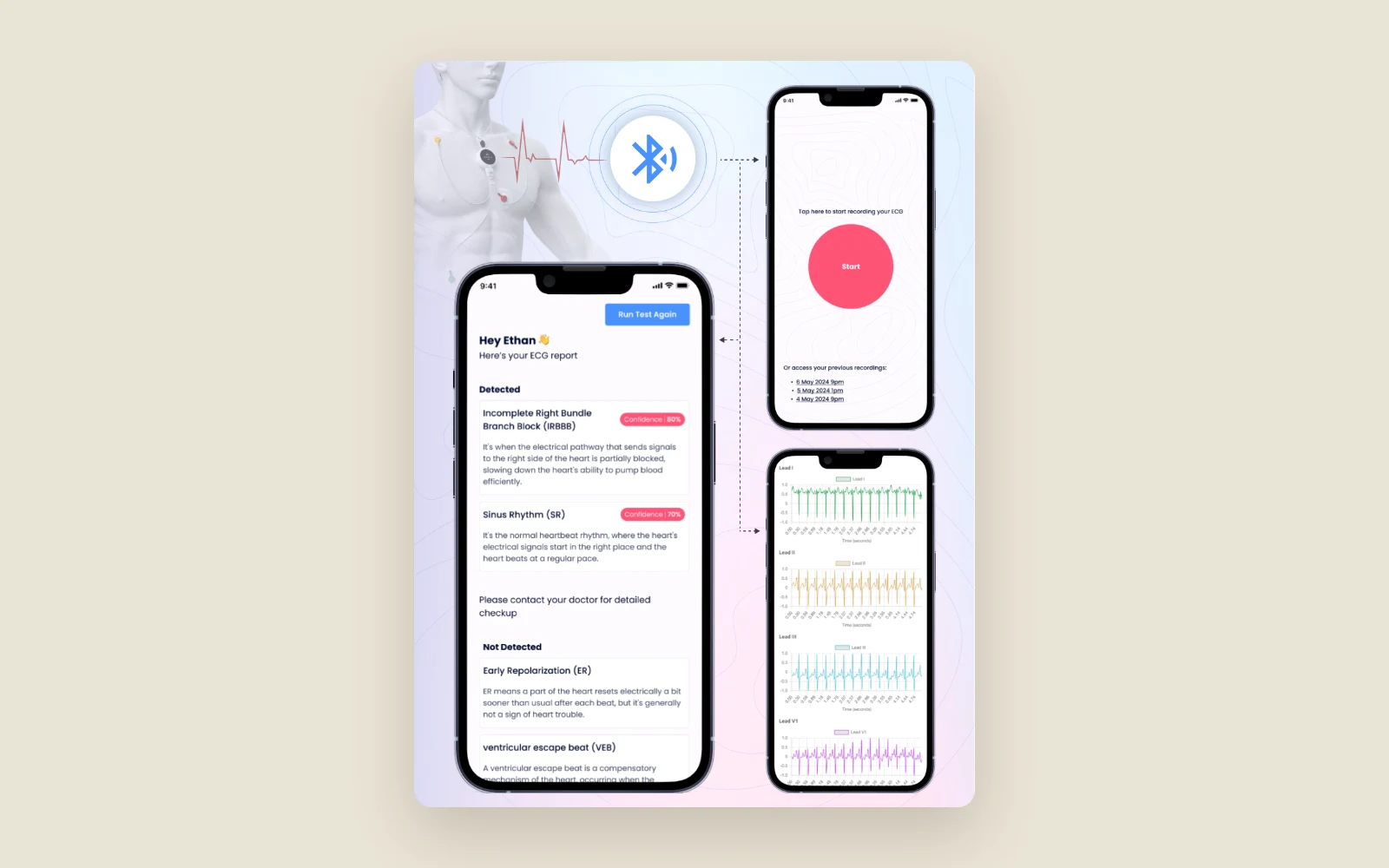
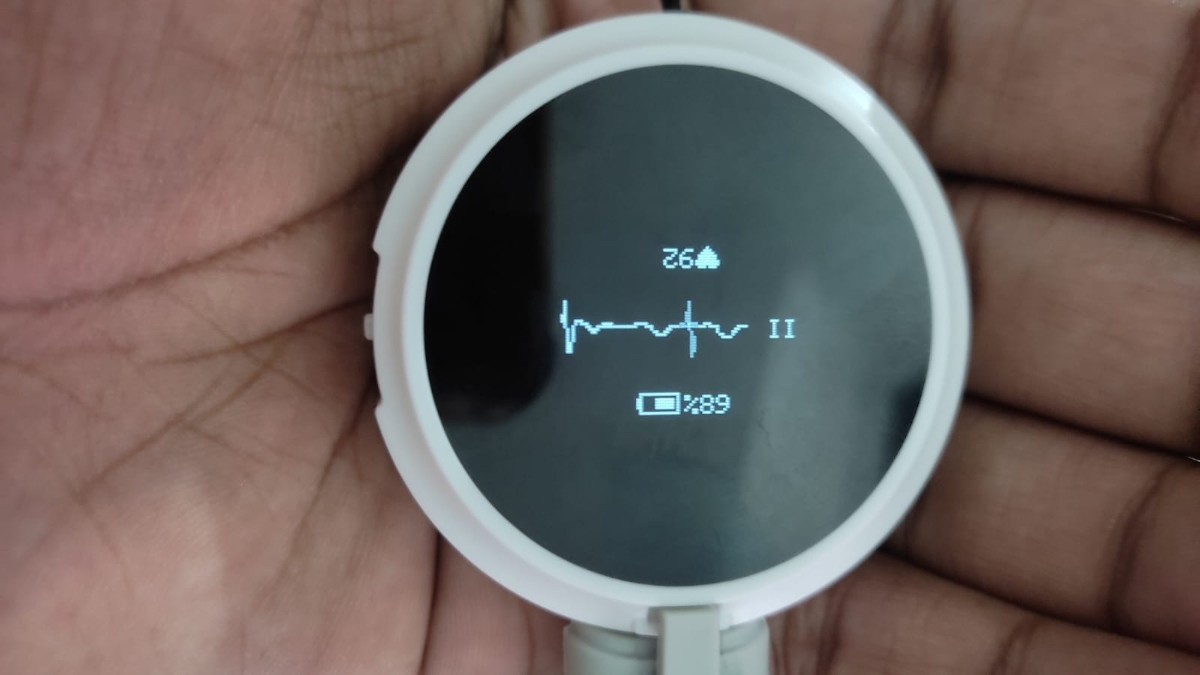
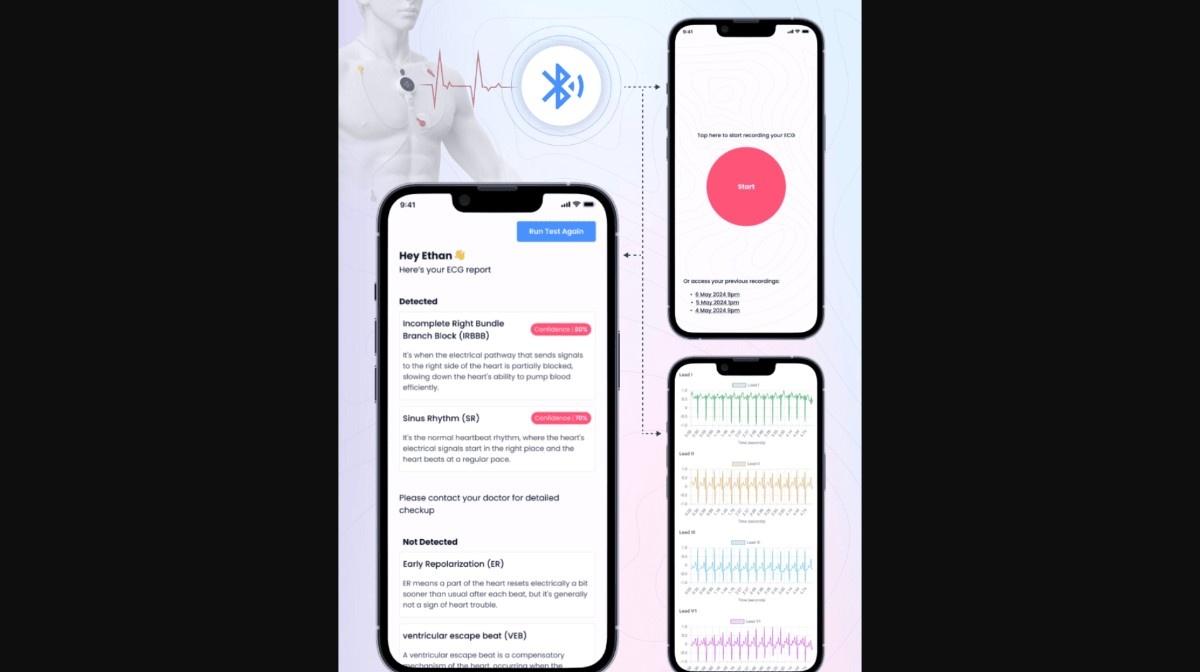
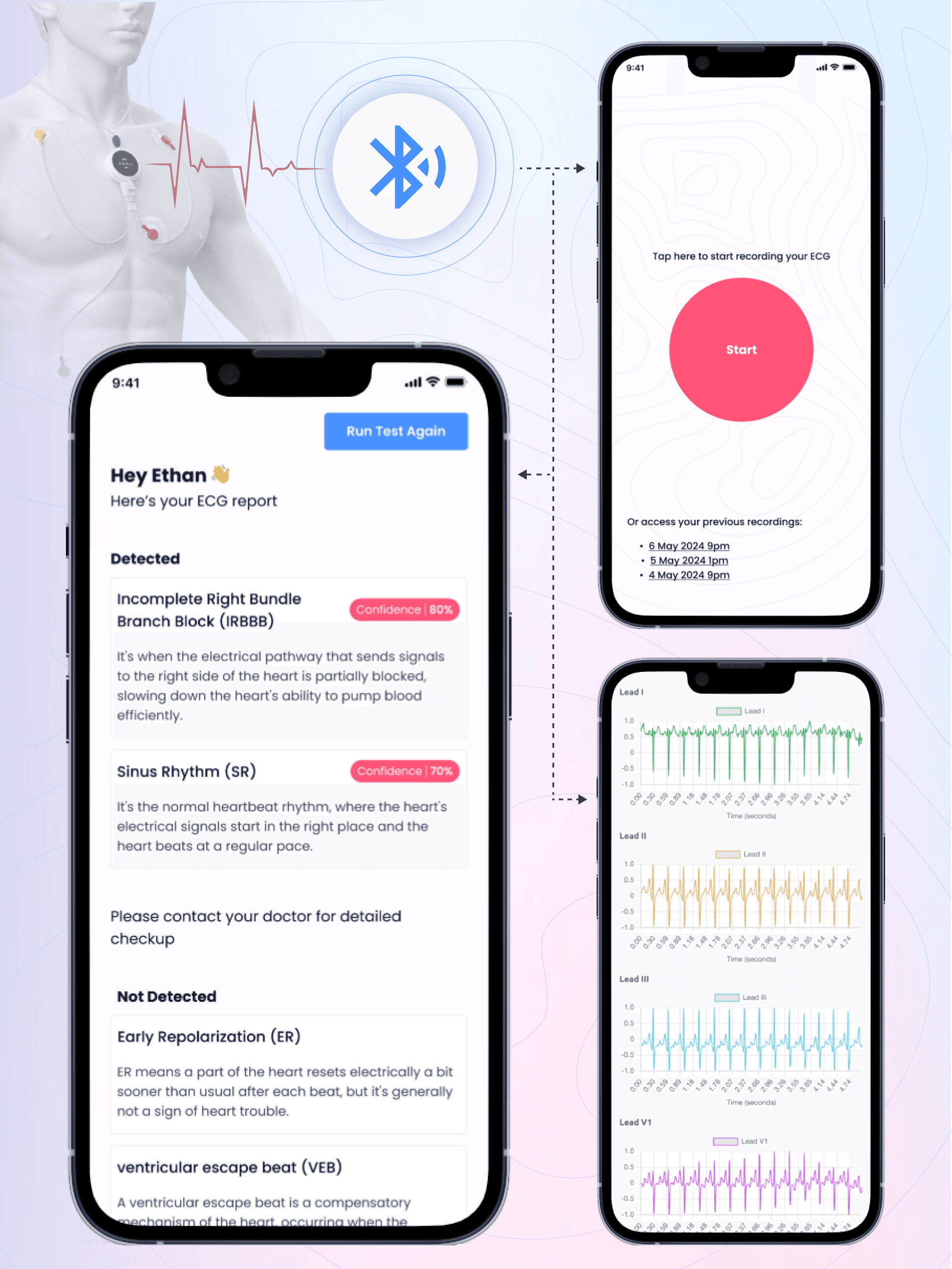
Syncardia is a noncommercial research prototype for recording and analysing 12-lead electrocardiograms. It gave the project team a way to take a reading using Bluetooth ECG hardware, inspect the waveforms on an iPhone and see the predictions that the model returned for that recording.
Barq led the machine learning R&D and built the software that joined the device, phone and server. The work covered model training and deployment as well as the iOS app and the Bluetooth connection to the ECG device.
Hammad is extremely independent and keeps you updated with all progress.
The problem
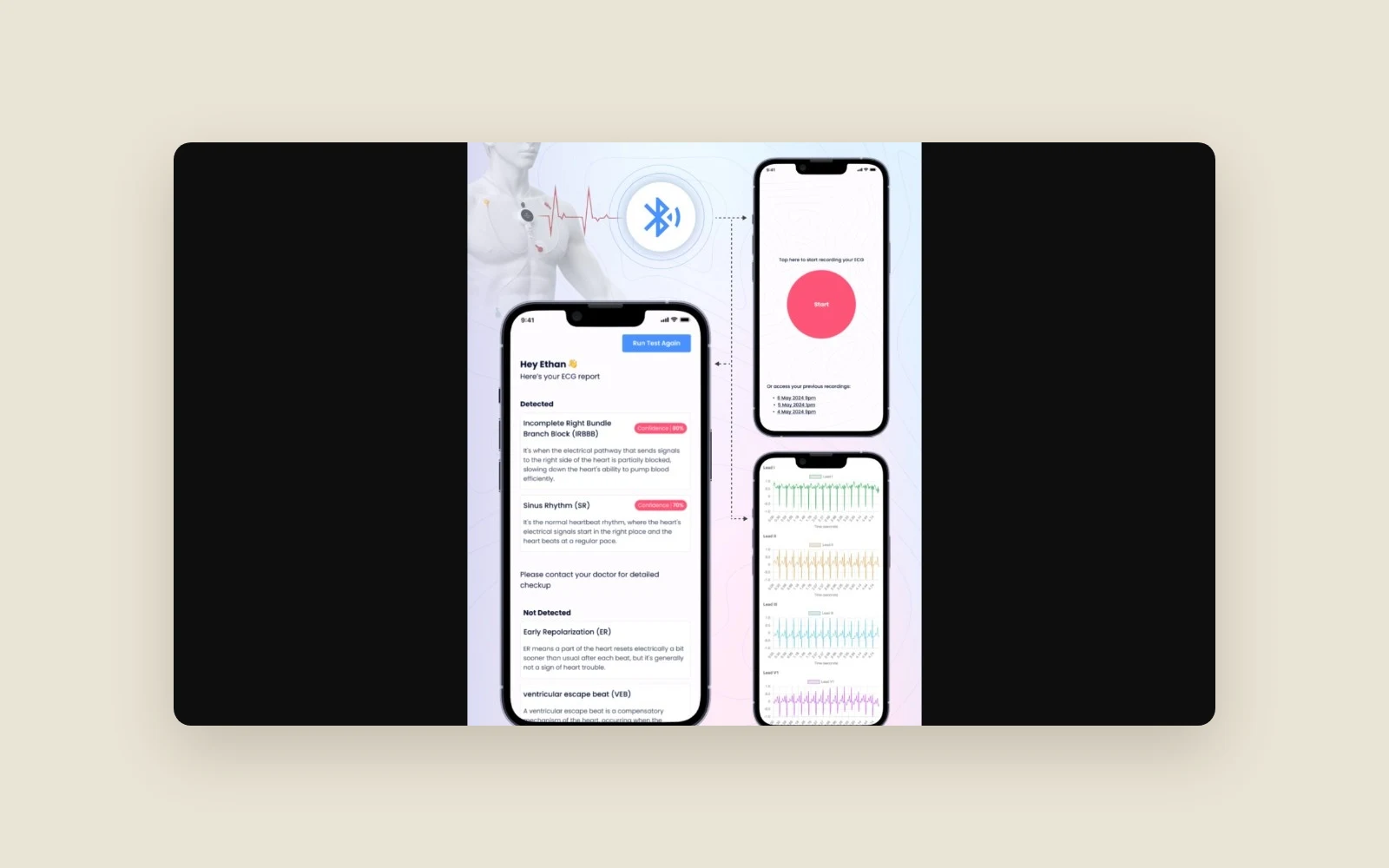
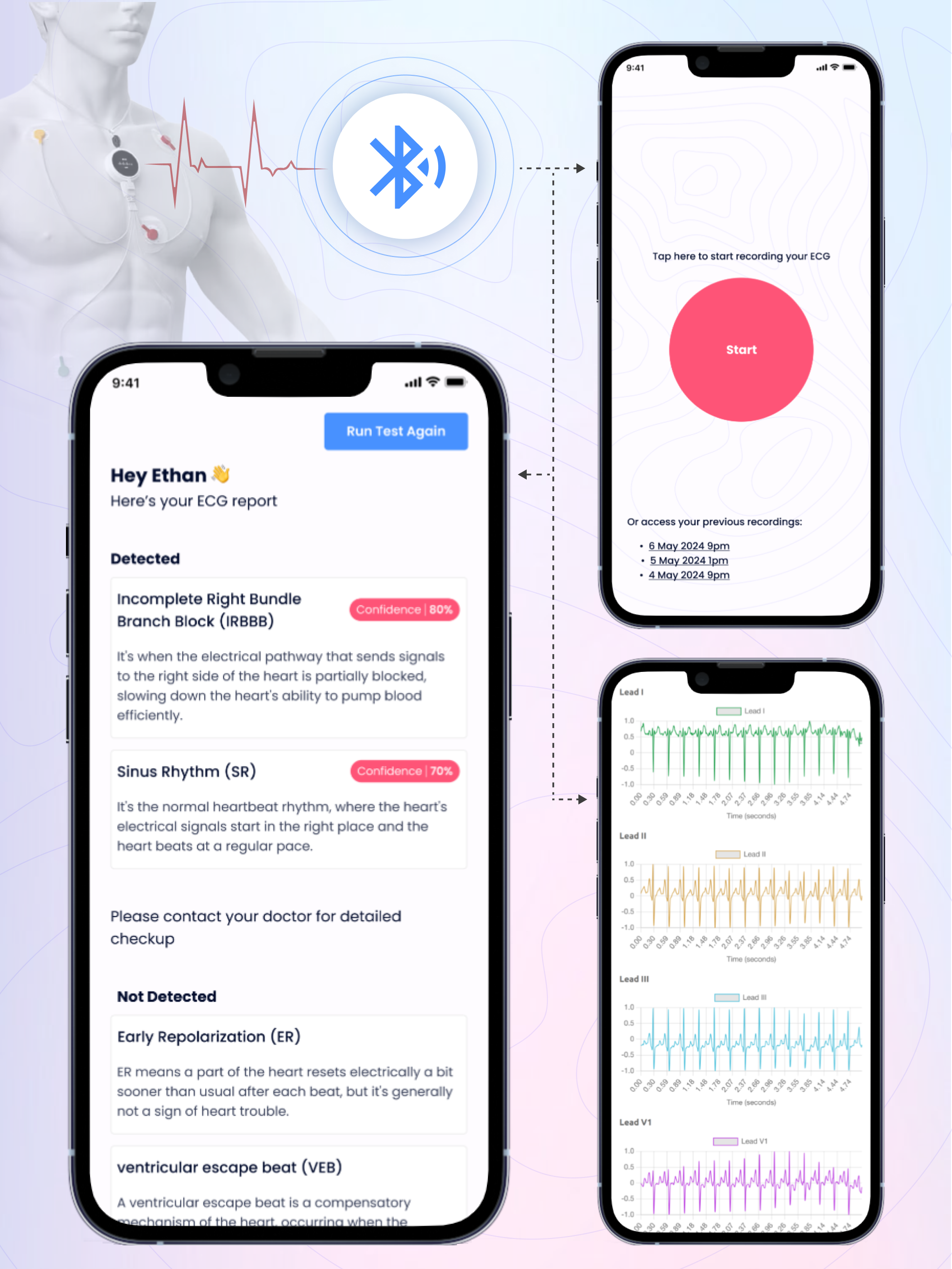
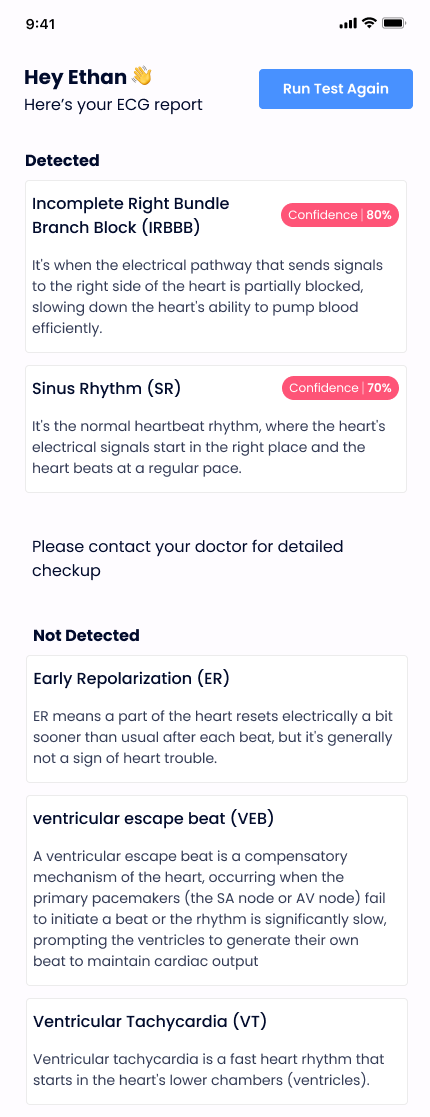
The client needed a working demonstration that started with a reading from the actual ECG device and ended with a report on the phone. The hardware sent raw waveforms, and the model expected the data in a specific shape. The team needed the iOS app to capture the reading, pass it to the hosted model in a form it could use and make both the trace and the returned predictions visible on the phone.
The challenge
Connecting the device to iOS
The React Native app needed to communicate with the ECG device over Bluetooth Low Energy. Barq explored a custom React Native bridge as part of working out how to connect the app to the native Bluetooth layer.
Matching the model's input
The recorded 12-lead waveform had to be transformed into the shape the classifier expected. This took several iterations because the data coming off the device had to work with the same input format used for inference.
Serving predictions while the app was in use
Training the classifier was one part of the research. The prototype also needed a cloud environment that could serve the trained model, accept a recording from the app and return the predictions to the phone.
How we approached it
Establish the hardware connection
Barq built the Bluetooth connection so the iPhone could act as the gateway between the ECG device and the hosted model.
Train the model and iterate on the waveform conversion
Barq trained custom models on ECG data and worked through multiple versions of the conversion between the raw recording and the classifier's input.
Deploy the model and complete the phone workflow
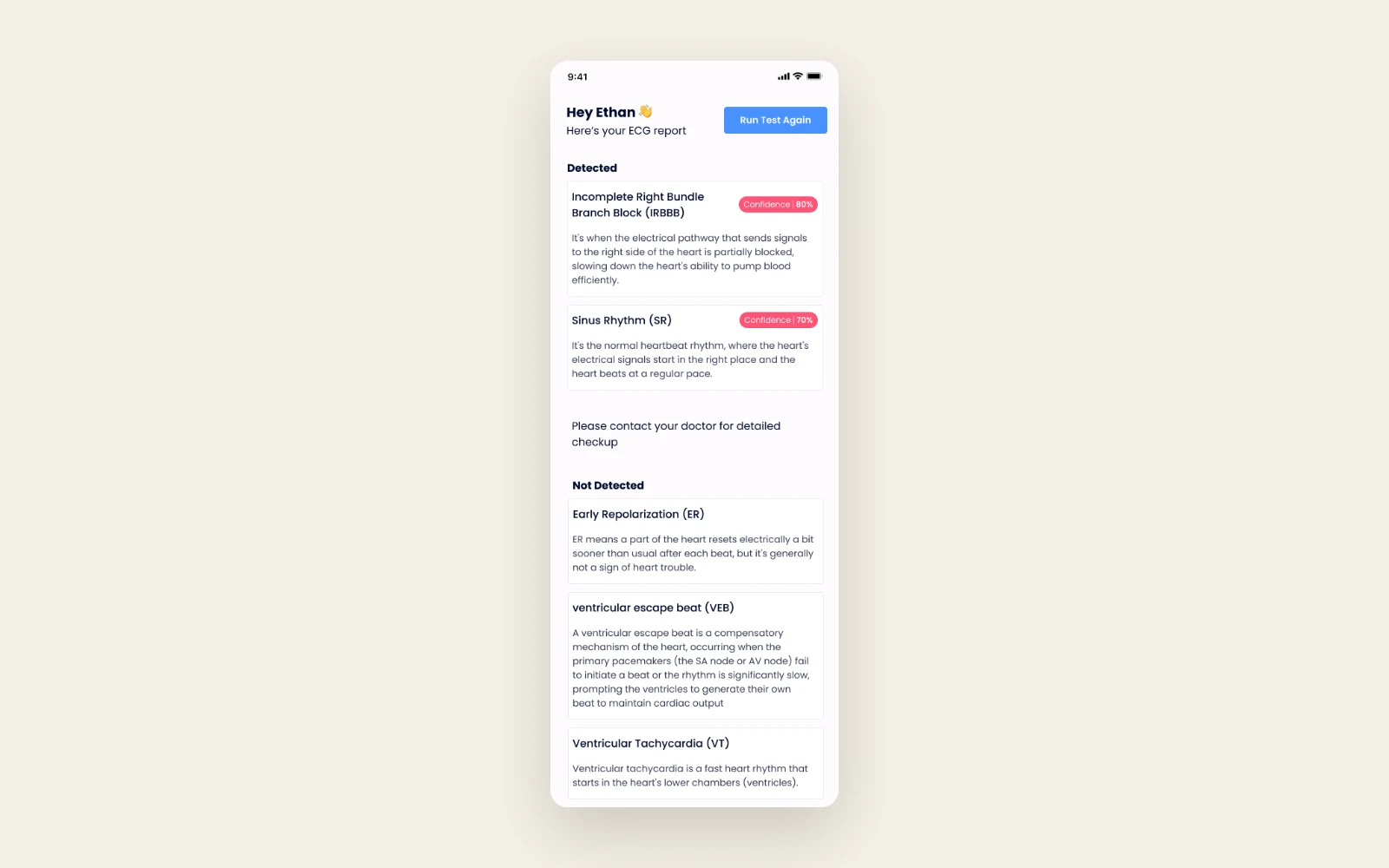
Barq configured the cloud environment and exposed the deployed model through a Django API. The app sent the converted waveform to the API and presented its response as an on-screen report.
What we built
Recording and electrode setup
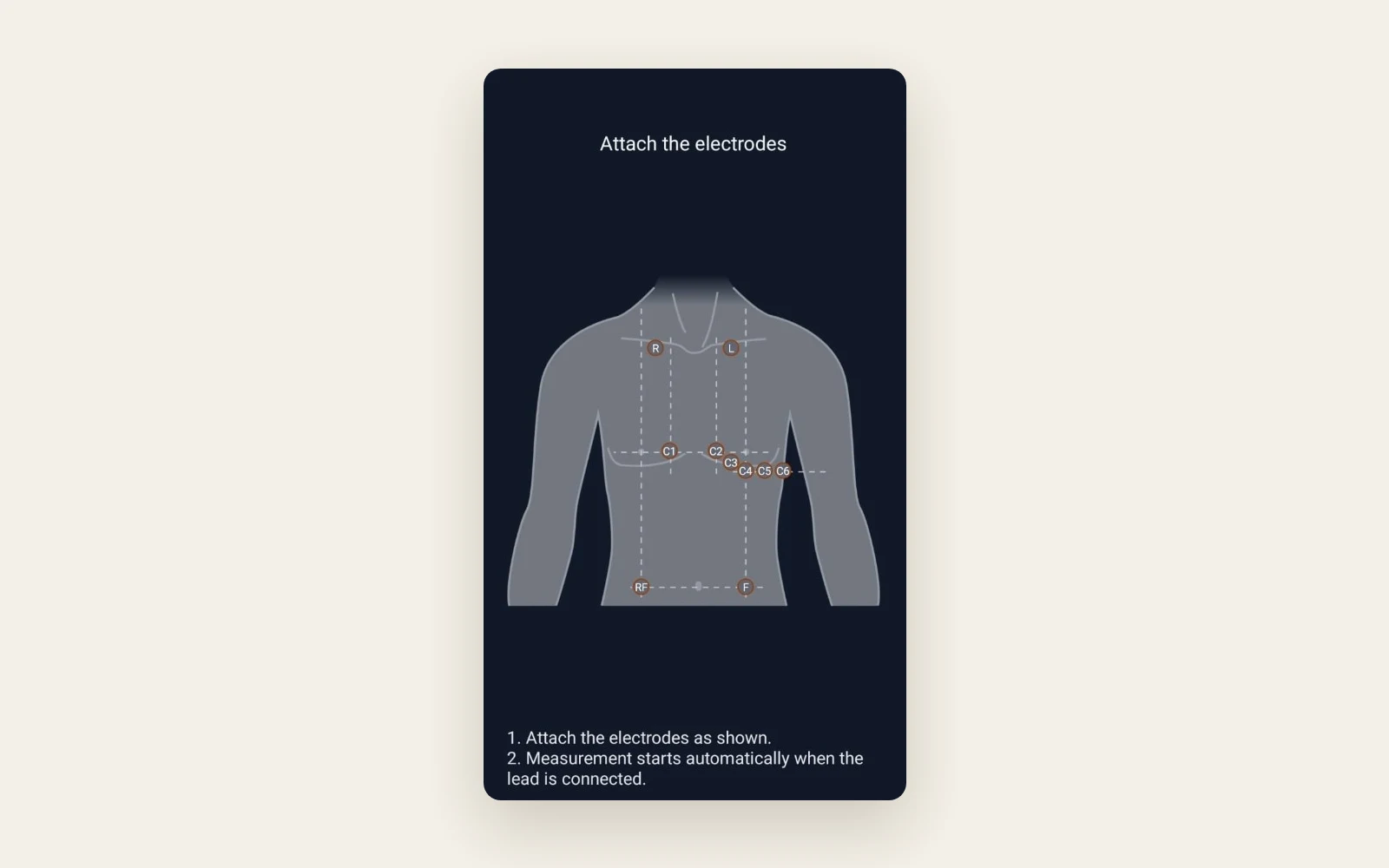
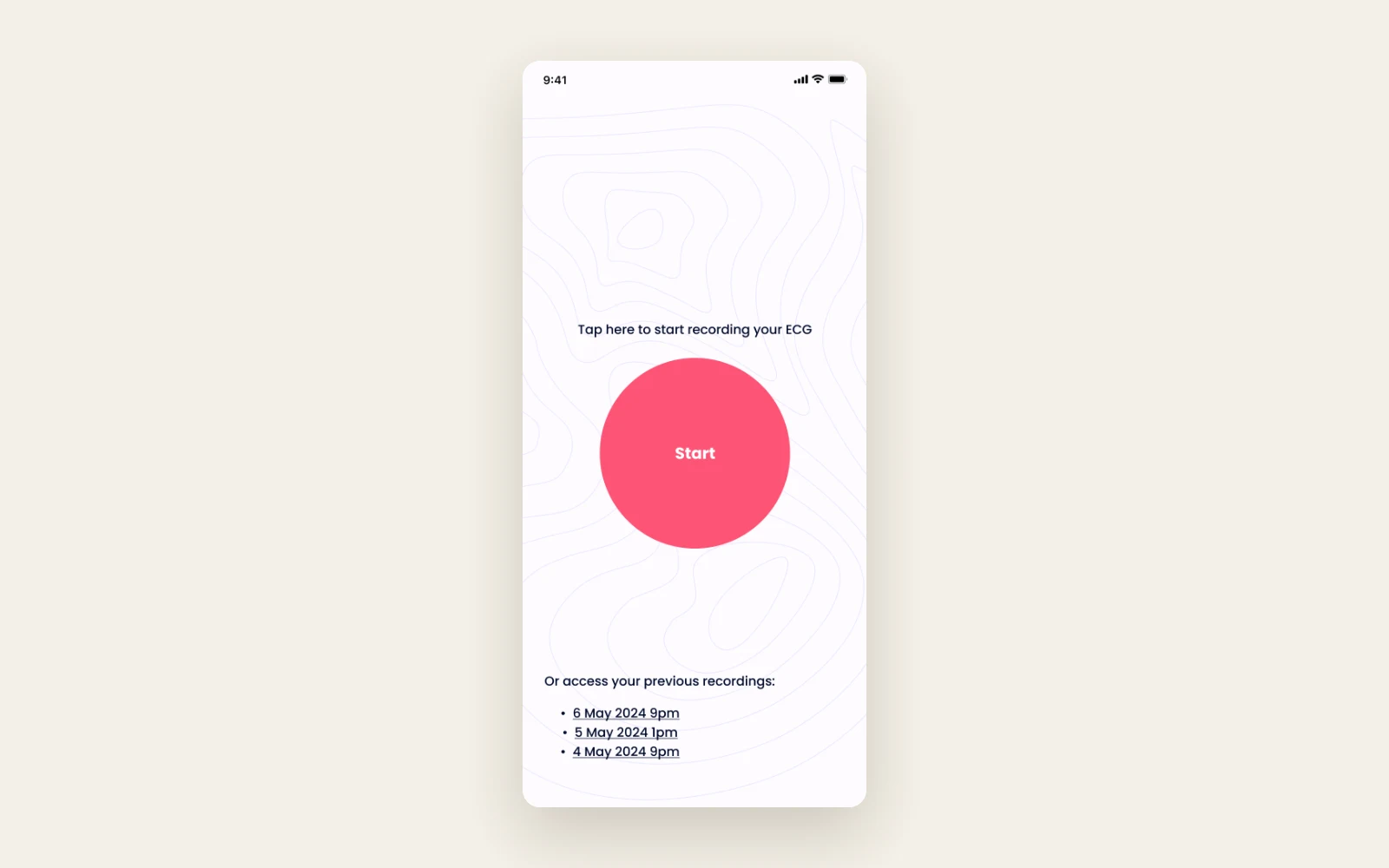
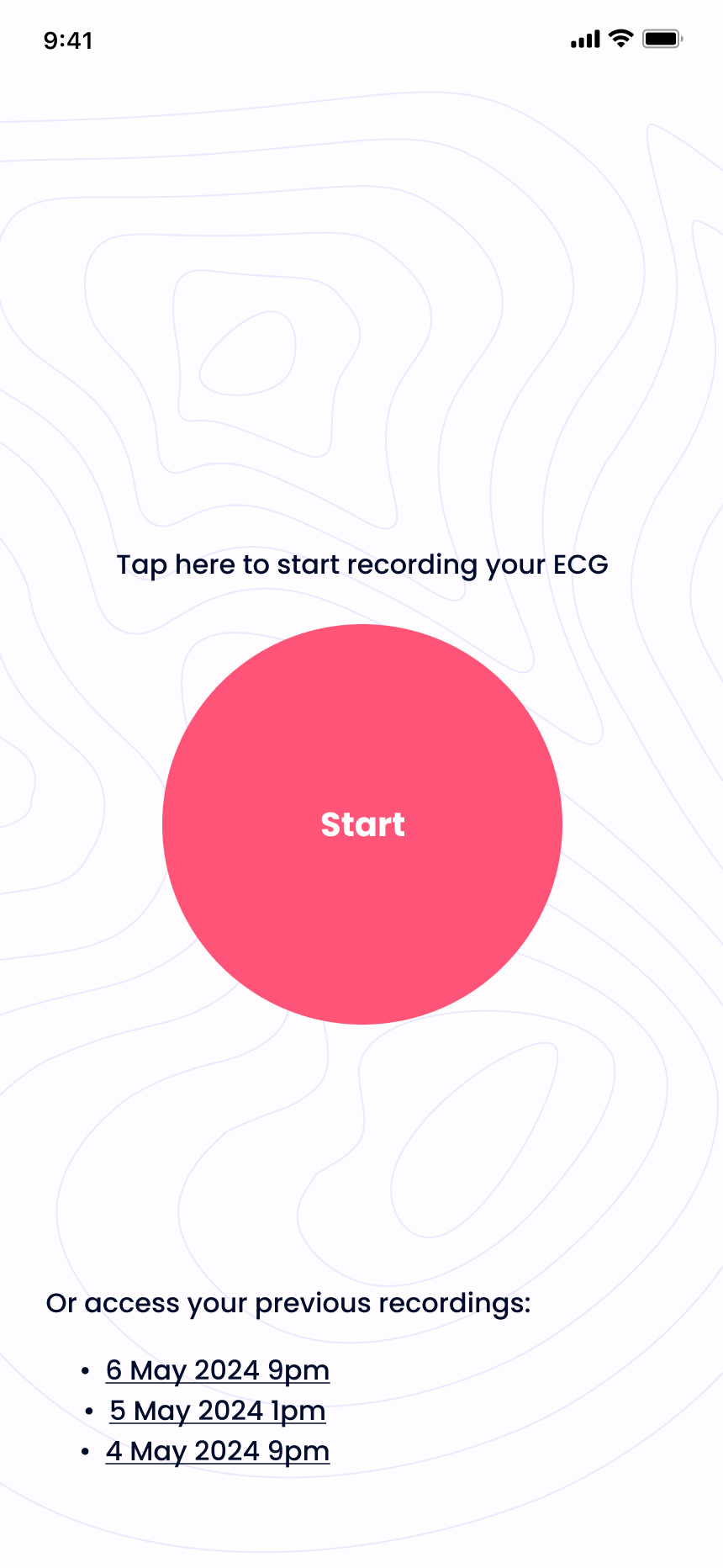
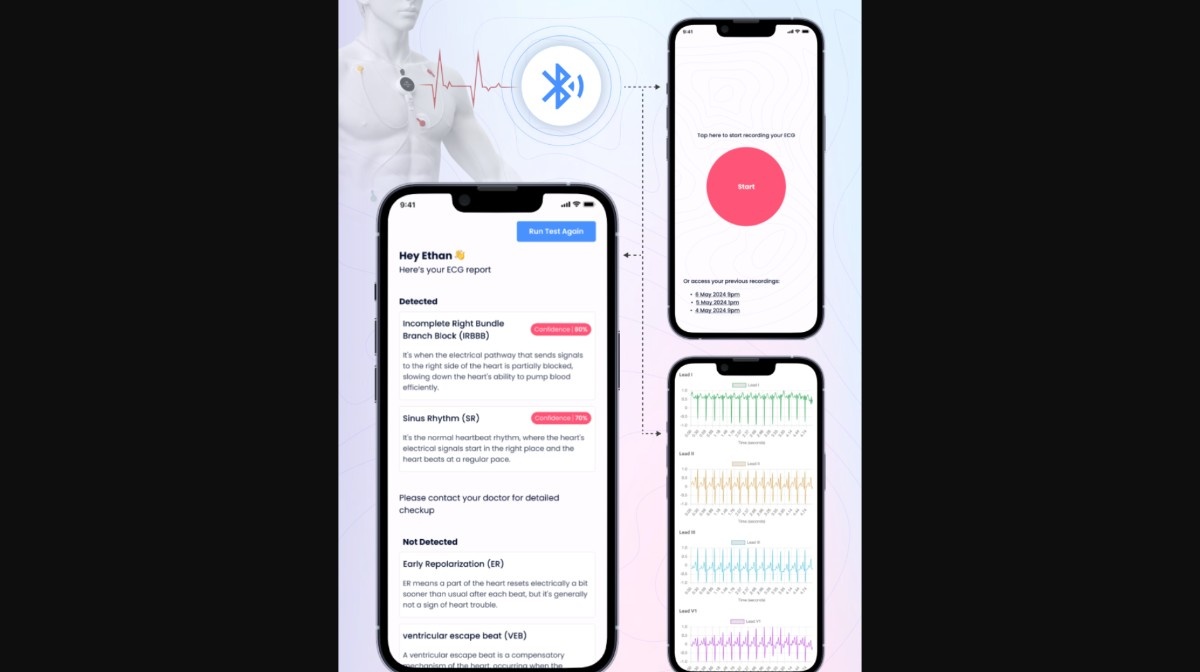
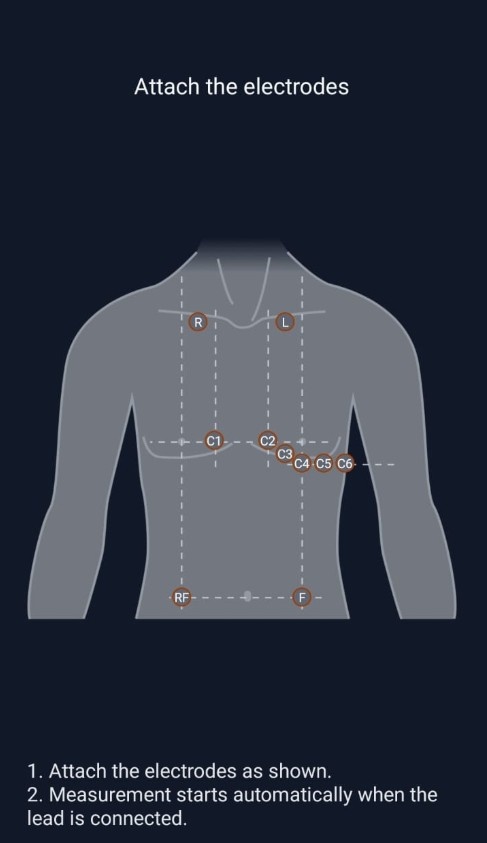
The iOS app included a screen for starting a reading and a guide showing where to place the electrodes before recording.
Bluetooth waveform capture
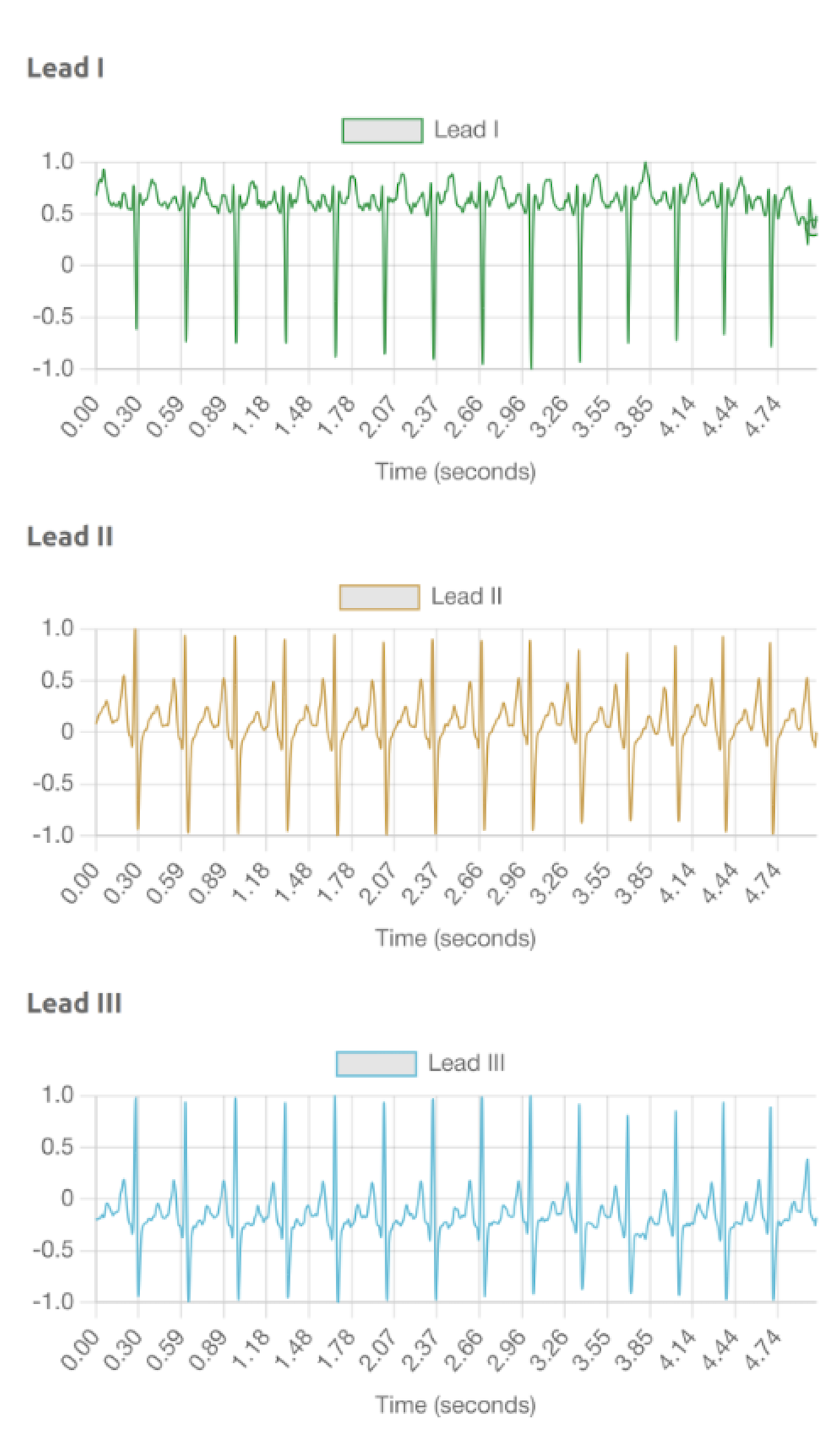
The app received 12-lead ECG data from the device over Bluetooth Low Energy. The waveform view let the person taking the reading inspect the individual lead traces.
Waveform preparation
The processing step converted the device output into the format used by the classifier. The documented waveform shape was 20,000 rows and 12 leads.
Hosted ECG inference
The Django API ran the trained Keras classifier on incoming recordings and returned the model's predictions to the app.
In-app report
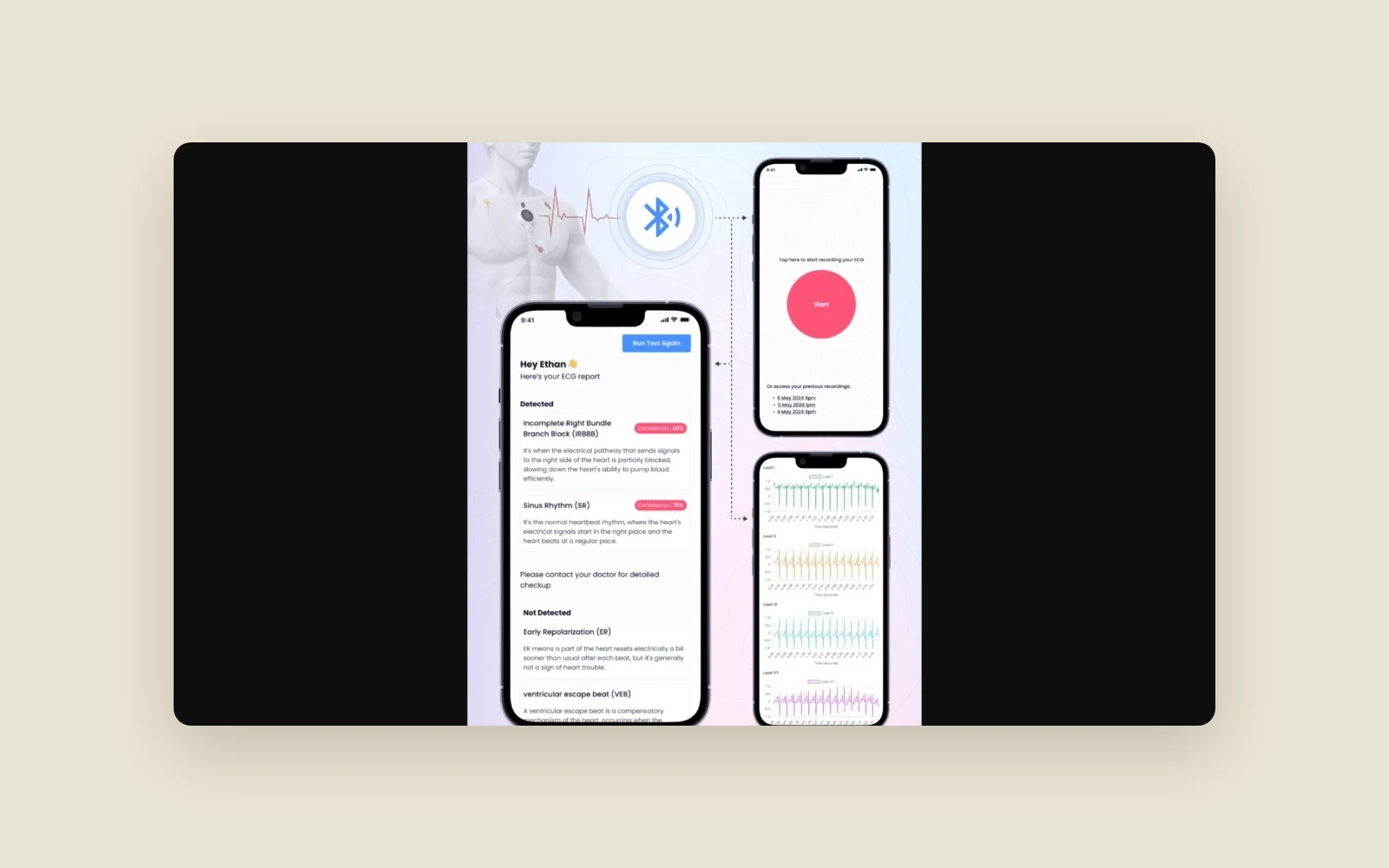
The app had a report screen for the classifier's output, alongside the separate waveform view for the underlying recording.
Where AI fits
Machine learning was the research focus. The deployed model was a multi-label classifier trained on ECG data, meaning it could assign several candidate labels to a single recording. The prototype displayed those predictions as research output.
Results
- The R&D prototype demonstrated the full workflow with the ECG hardware, cloud model and mobile app working together.
- The iOS app displayed the recorded ECG traces and received predictions from the hosted model during use.
- Ethan's Upwork review credited Hammad's independent work and regular progress updates.
Under the hood
React Native handled the iOS screens and the connection to the ECG device. Model execution ran on the server, where a Python and Django API served the trained Keras classifier. The phone passed the formatted waveform to that API and displayed the response.
Tech stack
- React Native
- Bluetooth Low Energy
- Python
- Keras
- Django